Trimble building construction

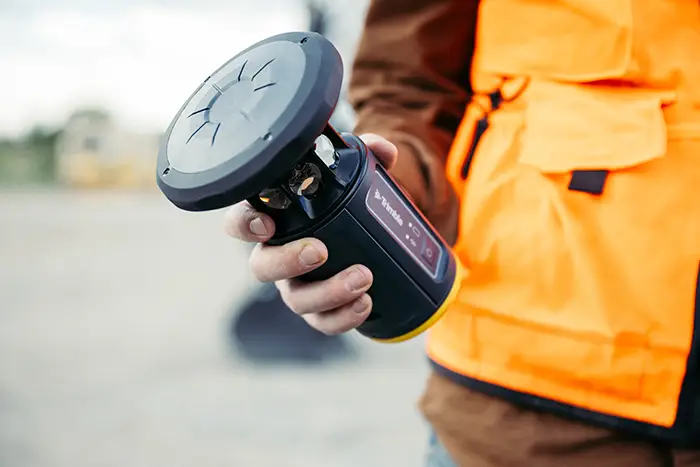
Trimble ST30
smart target

Place accurate points the first time with a smart target built to keep layout work moving.

Automatic pole-height measurement, tilt compensation and active tracking help your team work faster with fewer interruptions on site.

Request a demo
Talk to a specialist 1800 900 272
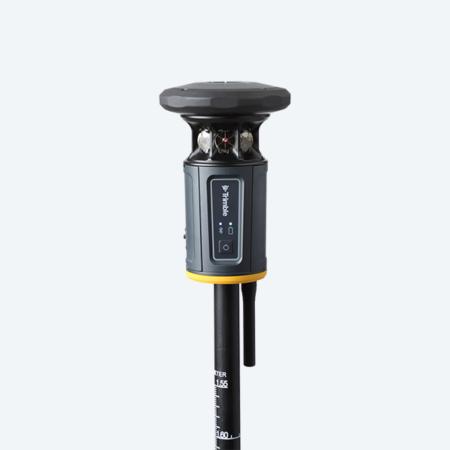
ST30 Smart Target

±0.6 mm

Automatic pole height accuracy

1 target

For optical and GNSS workflows

360°

Prism with active tracking and target ID

20%+*

Faster measurement and layout vs. a non-tilting plumb pole

*Conservative Trimble estimate for TIP tilt compensation and automatic pole height compared with standard methods using a non-tilting plumb pole. Results vary by site and workflow.

Why it matters

A wrong rod height before the pour

What it costs

Layout redone across stub-ups, hangers and anchor bolts, or worse, concrete poured with the error built in.

With the ST30: rod height is synchronised with FieldLink automatically, so there is nothing to forget to change.

Line of sight blocked on a busy site

What it costs

Crew standing by while a truck, rebar pile or another trade clears the way, or time lost moving the total station.

With the ST30: tilt the target to regain lock in seconds, with GeoLock and target ID helping re-acquire the right prism.

Unlevelled poles and offsets

What it costs

Re-checks and extra setups at corners and overhead points, with errors that turn up later as rework.

With the ST30: tilt compensation lets you measure with the rod tip at any angle, with no levelling or COGO offsets.

Get it right the first time

Field conditions change constantly. Small measurement inconsistencies slow crews down and cause rework later. The ST30 is designed to remove the most common causes.

Confident

Fewer blunders, full traceability

  • Automatic pole height removes the most common human error.
  • Tilt compensation removes bubble and plumb errors.
  • One project reference frame, with no transformation or scaling issues.

Productive

Faster shots, fewer setups

  • Measure without levelling the pole.
  • Reach corners, ceilings and tight spots without extra optical setups.
  • Spend less time waiting or searching when line of sight is lost.

Integrated

Optical and GNSS in one target

  • Switch between optical and GNSS in the same job file.
  • Same pole, same controller, same FieldLink workflow.
  • Connects with FieldLink, Trimble Connect and your existing Trimble workflow.

Features that keep crews moving

From optical to GNSS, effortlessly

The ST30 includes an integrated survey-grade GNSS receiver powered by the Trimble ProPoint engine. Swap between optical and GNSS measurements with one compact target, in a single job file.

  • Removes the need for a separate GNSS receiver on mixed jobs.
  • Use GNSS for open external areas, then switch to optical for layout, vertical construction and obstructed locations.
  • GNSS rover workflow unlocked with an optional subscription.
Contractor switching between optical and GNSS measurements

Forget the pole, focus on the job

Trimble Inertial Platform (TIP) tilt compensation works for both total station and GNSS measurements, so you no longer need to level the pole for every shot.

  • Measure on the ground, overhead, right side up or upside down.
  • Capture building corners, ceiling features and overhead points without COGO offsets.
  • Add the top mount accessory to meet the tightest tolerances.
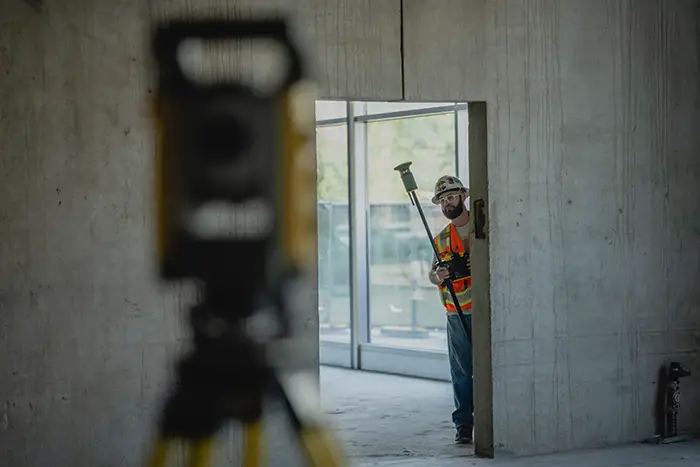
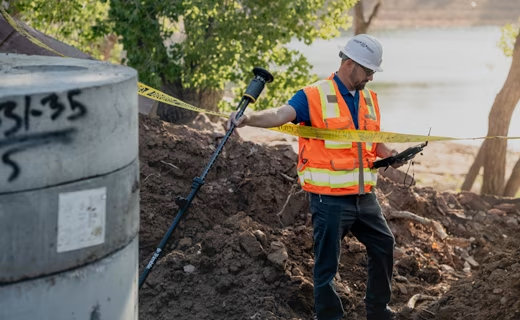
ST30 used on construction site

Correct pole height, always

The ST30 automatically synchronises pole height with your Trimble field software. Set the pole to any height and keep working.

  • Pole height accuracy of ±0.6 mm.
  • Avoids costly rework from a wrong or forgotten pole height, such as stub-ups and anchor bolts before a pour.
  • Requires the new Trimble ST pole.
Height scale on the telescopic Trimble ST pole

See the ST30 in action

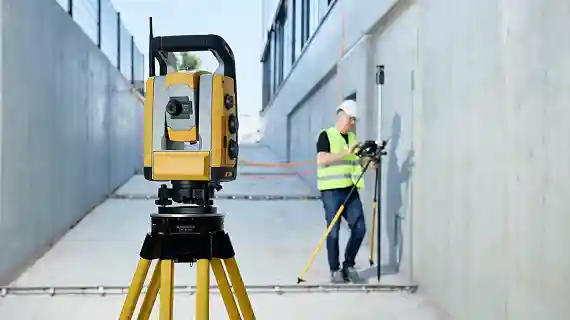
Watch how the ST30 speeds up layout on a live building site.

See the ST30 on your own site

Book a demo and watch it handle your layout, MEP and as-built tasks.

ST30 vs a standard prism pole

Where the time and the mistakes usually are, and what changes with the ST30.

TaskStandard prism and poleTrimble ST30
Pole levellingLevel the bubble for every shotTilt-compensated, no levelling required
Pole heightEntered by hand and easy to get wrongSynchronised automatically with field software
Corners and overhead pointsOffsets or extra instrument setupsMeasure with the pole tip at any angle
Lost line of sightSearch for the prism and re-lock manually GeoLock re-locks automatically; target ID keeps you on the right prism
Adding GNSSSeparate receiver and separate workflow Integrated GNSS in the same target and job file (optional subscription)
QA/QCLimited information behind each shot Tilt and precision estimates available for each measurement

Comparison based on a standard non-tilting prism pole workflow.

Built for building construction workflows

From the slab to the ceiling, one target for the layout and verification tasks your crews do every day.

Layout and positioning

Transfer the design into the field.

  • Walls, anchors and structural elements
  • Accurate layout without constant levelling or re-checking
  • Stub-ups, bangers, hangers and anchor bolts

On site: Check every embed before the pour, with the right pole height every time.

MEP and interior layout

Work accurately in tight, obstructed spaces.

  • Hangers and penetrations overhead
  • Confined areas with fewer interruptions
  • Measure with the pole tip, upside down if needed

On site: Mark ceiling points without a ladder-and-offset routine.

As-built and verification

Confirm installations match the design.

  • Reliable, repeatable measurements across trades and phases
  • Tilt and precision estimates for QA/QC
  • Data that flows into Trimble Connect and your office workflow

On site: Prove your accuracy and method when a question comes up.

Multi-trade coordination

Align crews working in the same space.

  • Consistent data capture across crews
  • Less misalignment and rework
  • One workflow across phases

On site: Keep different trades measuring the same way.

Your Trimble total station could be compatible.

Send us your model and serial number and we will check it, including eligibility for a BLR service upgrade.

Getting your ST30 is simple

A BuildingPoint specialist will guide you from first question to first measurement.

Request a demo
  1. Tell us how you work

    Share your total station model, controller and software so we can check compatibility.

  2. See it on your kind of job

    Request a demo and watch the ST30 handle your layout, MEP and as-built tasks.

  3. Get a tailored quote

    We confirm the ST30, ST pole, EM140 module, any instrument upgrade and optional GNSS subscription.

Talk to a Trimble ST30 specialist

Tell us about your total station and the building work your crews do. We will recommend the right ST30 configuration and arrange a demo.

  • Confirm compatibility with your total station and FieldLink version
  • Check eligibility for a BLR service upgrade
  • Get a tailored quote for the full ST30 kit

Prefer to talk now?

1800 900 272

Or visit the contact page to find your nearest office.

We use your details to respond to your enquiry. See our privacy policy.

Specifications and key features

Optical TIP performance
H: TS + 2.5 mm + 0.3 mm/° tilt V: TS + 1 mm + 0.1 mm/° tilt
Automatic pole height accuracy
±0.6 mm
Pole
2.6 m telescopic pole, fully adjustable height
Prism
360° prism with active tracking
Durability
Drop-tested, vibration-tested, IP-rated for dust and water
Included in box
Antenna, Li-35 battery, USB-C cable, soft bag

TS = total station accuracy. Source: Trimble.

ST30 key features

  • eBubble
  • Passive tracking
  • Active tracking
  • Target ID
  • GeoLock with Trimble RTX corrections
  • Automatic pole height
  • Tilt-compensated measurements
  • GNSS rover (optional subscription)
Download the info sheet

Trimble ST30 frequently asked questions

The Trimble ST30 is a smart target for robotic total stations that combines a 360-degree prism, automatic rod height measurement and tilt compensation in one rugged unit. It also includes an integrated GNSS receiver, available as a subscription from 2027, so crews can switch between optical and GNSS measurement without changing equipment. BuildingPoint Australia can help with the ST30 for construction layout, setout and as-built verification.

The Trimble ST30 works in passive mode with any Trimble total station, including the SX12 and Ri. Active tracking is supported on Trimble RTS and SPS series total stations and select S series models: all S7, S9 and S9 HP models, and S5 models with the Active Tracking option. Tilt-compensated optical measurement requires a Trimble S, SPS or RTS total station with DR+ EDM and a BLR radio.

Possibly. If your existing Trimble total station is a compatible model, you can use the Trimble ST30 in passive mode straight away. Tilt compensation and full functionality require a DR+ EDM and a BLR radio, which come standard on new Trimble S, SPS and RTS total stations from Q4 2026. Send BuildingPoint Australia your model and serial number and we will confirm what your instrument needs.

No. The Trimble ST30 works optically with a compatible robotic total station without a GNSS subscription. Integrated high-accuracy GNSS is a separate subscription available from 2027, and you only need it if you want to work with GNSS or work beyond line of sight.

The Trimble ST30 is designed to work with the Trimble ST telescoping rod, which adjusts from 1.55 m to 2.6 m and is the supported rod/pole for the ST30. The rod is made of carbon fibre, so it is strong, rigid and light. That rigidity carries the weight of the ST30 and minimises flex when the rod is tilted, which supports accurate tilt-compensated measurements at any angle (accuracy is best closer to vertical). The ST30 has a standard female ⅝ inch thread pole mount. Contact BuildingPoint Australia to confirm what you need for your current setup.

To run a Trimble ST30 you need a compatible Trimble total station, a Trimble controller or tablet (TSC5, TSC510, TSC7, TSC710, T10, T110, T7 or T70) fitted with a Trimble Empower EM140 module, and compatible field software: Trimble FieldLink 2026.2.0 or later, Trimble Access 2026.20 or later, or Trimble Siteworks 2.0 or later. The ST30 comes with a battery, Bluetooth antenna, USB-C cable and carry case.

The Trimble ST30 saves time by removing common stop-start tasks. Crews no longer stop to change the rod height in the controller or watch a level bubble, tilt compensation lets them measure awkward points without moving the total station, and target ID with active tracking reduces time lost to false locks and lost lock. The saving depends on your site and workflow. Ask BuildingPoint Australia for a demo to see it on your own layout tasks.

Yes. The Trimble ST30 is built for demanding building sites, with a magnesium and aluminium body, a protective top bumper and shielded LEDs. It is designed for use in wet conditions.

The Trimble ST30 reduces layout errors before a concrete pour by measuring rod height automatically and sending it to the field software, so the height can’t be forgotten or mistyped. Target ID keeps the total station locked onto your target on busy sites, and tilt compensation helps you measure points around rebar and equipment without moving the instrument.

The Trimble ST30 is available to order through Trimble’s dealer network from Q4 2026. Contact BuildingPoint Australia on 1800 900 272 or at sales@buildingpoint.com.au to book a demo or request a quote.

Built to work with your Trimble kit

Complete your ST30 setup with BuildingPoint hardware and software. ST30 compatibility depends on your instrument and software version, so we will confirm it with you.

Get your Trimble ST30 quote or demo

Talk to a BuildingPoint specialist about the right ST30 kit for your crews.