Becoming a Tekla Developer with the Help of AI

A beginner-friendly guide to Tekla development, automation and AI with Tekla Technical Consultant, Jordan Folkard.

Becoming a Tekla developer can sound intimidating, especially if you do not come from a traditional programming background. Terms such as C#, Visual Studio, .NET and APIs can make it feel like you need years of coding experience before you can get started. 

My experience has been different. I worked full-time as a steel detailer, so development had to fit around my normal project responsibilities. With the resources available in the Tekla ecosystem and AI assistants such as ChatGPT and Claude, I was able to develop multiple Tekla plugins while still completing my core work. 

AI does not remove the need to understand or test what you are building. What it does is make development much more accessible. Instead of knowing every line of code before you start, you can begin with a Tekla problem you want to solve and work through it step by step. 

Why Tekla Development Is More Accessible Now 

If you use Tekla Structures regularly, you have probably thought, “There has to be a faster way to do this.” It might be a repetitive modelling task, a drawing process or a company-specific workflow that takes too many manual steps. 

This is where Tekla development becomes powerful. The Tekla Open API allows developers to extend and automate Tekla Structures. For experienced Tekla users, one of the biggest advantages is that you already understand the problem. AI can help with the programming side, but your knowledge of real Tekla workflows helps determine what is actually worth automating. 

1. Tekla Developer Forums 

The Tekla Discussion Forum and its developer discussions are valuable when you get stuck. You might know what you want Tekla to do but not know which API method to use, the best way to approach the code or whether the idea is possible through the Open API. 

Rather than searching only for someone who has built the exact same tool, search for smaller pieces of the problem. For example, look separately for selecting objects, reading properties, working with drawings or creating dimensions. Those smaller examples can become the building blocks for your own plugin. 

Tekla discussion forum
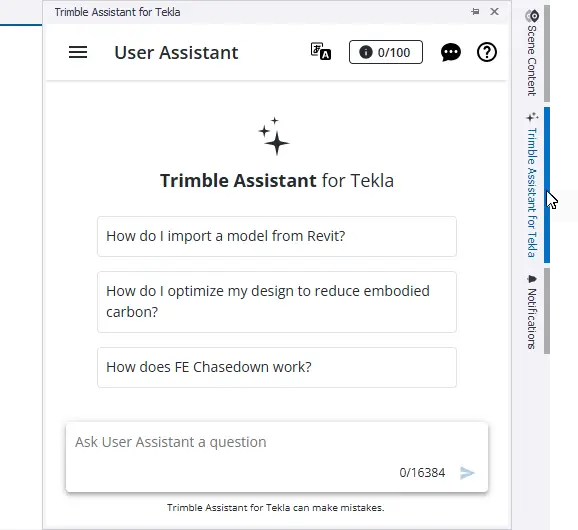
Trimble assistant for Tekla

2. Trimble Assistant for Tekla 

Trimble Assistant for Tekla provides AI assistance within the Tekla ecosystem. The User Assistant can help with questions about Tekla products and documentation, while the Developer Assistant is focused on Tekla Structures Open API development. 

This is useful when you understand what you want to achieve but do not know the exact API terminology. For example, you might know that you want to select a beam and read its profile, but not know which class or property you need. A Tekla-focused assistant can help point you in the right direction. 

3. Tekla Developer Center and Open API 

The Tekla Developer Center is one of the most important resources to bookmark. It provides API reference documentation, programming guides, examples and information about extending Tekla Structures through the Tekla Open API. 

You do not need to memorise the entire API. Learn how to find what you need. If you are working with model objects, research the model API. If you are working with drawings or dimensions, look at the drawing API. Over time, your understanding can start to build naturally from one project to the next. 

Tekla Developer Center

4. Using ChatGPT, Claude and Other AI Assistants 

General AI assistants have made the biggest difference to my personal development workflow. I can provide my existing source code, explain what the plugin currently does and give the AI a list of features or problems I want to work through. 

One of the biggest benefits is that I can let the AI analyse a development problem while I continue working on my normal detailing responsibilities. I can then return, review the suggested approach, update the code, compile it and test the result inside Tekla Structures. 

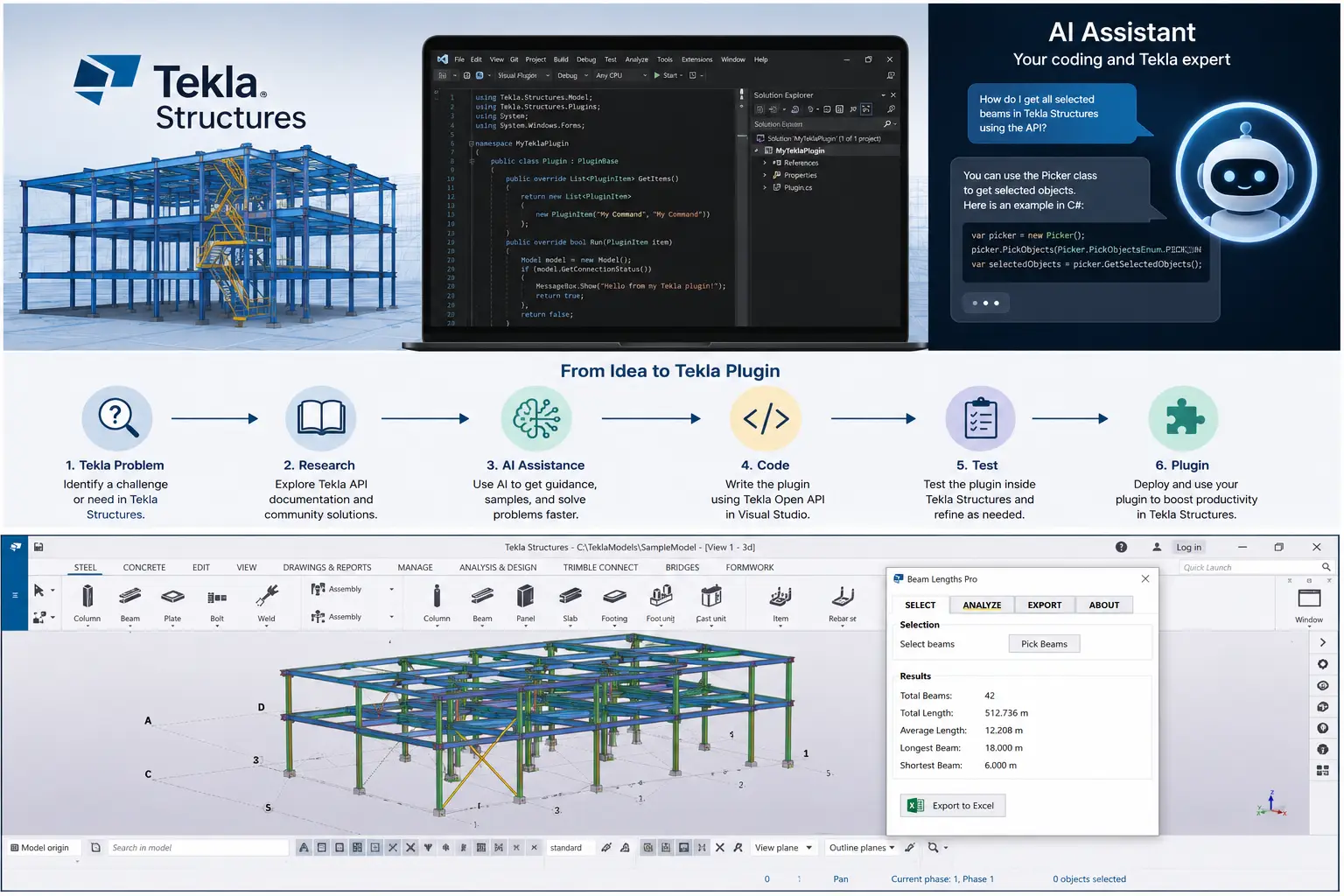
My typical workflow is: Idea -> AI assistance -> Code -> Build -> Test in Tekla -> Refine -> Test again. 

AI Still Requires Testing and Understanding 

AI-generated code should never simply be assumed to be correct. A solution can look convincing but still fail to compile or behave differently when it is tested in Tekla. 

You still need to build the project, review compiler errors, test the resulting model or drawing objects and make sure the tool works in different scenarios. The better you become at describing the problem and checking the result, the more useful AI becomes. 

Your Tekla Knowledge Is an Advantage 

If you are a steel detailer, engineer or experienced Tekla user, do not underestimate the knowledge you already have. You understand modelling, drawings, project workflows and the tasks that consume time. Most importantly, you can identify problems that are worth solving. 

The Developer Center can help you understand the API, the Developer Forums can help when you are stuck, Trimble’s AI tools can provide Tekla-specific assistance, and general AI assistants can help you work through the code. Together, these tools can significantly lower the barrier to becoming a Tekla developer. 

Start Small and Build in Stages 

If you are new to Tekla development, do not start by trying to build a massive application. Start with one real problem. Maybe you want to select an object and read its properties, update multiple selected objects, automate a repetitive task or create a simple macro. 

Once that works, add the next feature. Developing in stages makes errors easier to understand and gives you a working foundation to build on. 

Final Thoughts: Start Building 

If you have ever thought, “I wish Tekla could automatically do this,” that could be your first development project. 

Write down exactly what you want to happen. Research it through the Tekla Developer Center and forums, use the available AI assistants to help work through the development, and then test it in Tekla. 

You do not need to know everything before you begin. Start small, test it, fix it and then add the next feature. AI is not removing the need for Tekla developers – it is giving more Tekla users the opportunity to become one.

Tekla Process

Useful Resources 

Jordan Folkard is a Technical Consultant at BuildingPoint Australia, specialising in Tekla Structures and digital engineering workflows. With a background in steel detailing and hands-on experience with Tekla development, Jordan works with customers to solve technical challenges, improve workflows and get more from their Tekla environment.

Want to know more about our products? Talk to an expert

Fill out the form below to get in contact with one of our sales experts, or call to chat with our team.

Tech Support: If you are looking for Product Tech Support please do not use this form. Please visit our Support Page to contact us for support questions.